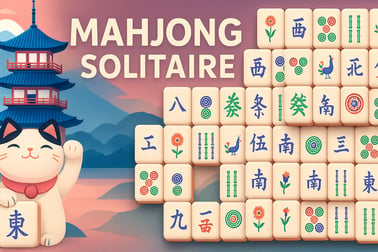
Mahjong Solitaire lets you match tiles and clear the board in a relaxing online puzzle. Play free in your browser with no download required.


























Mahjong Solitaire
Overview of Mahjong Solitaire
Mahjong Solitaire is a relaxing yet challenging online mahjong puzzle you can play right in your browser. Instead of the traditional four-player mahjong, this is a single-player free tile matching game where your goal is to clear the board by pairing up matching tiles. It blends calm visuals with clever logic, making it perfect for quick breaks, daily brain training, or a long, focused puzzle session.
In this browser mahjong solitaire version, you'll see a layered layout of tiles arranged in patterns like the classic "turtle" or more creative shapes. Each tile shows a symbol, character, bamboo, circle, wind, dragon, flower, or season. You remove tiles in pairs, but only when they're "free"—a key idea that turns a simple matching game into a smart mahjong logic game that rewards planning as much as fast pattern recognition.
Because it runs in your browser with no download required, you can jump into a game in seconds on desktop, laptop, phone, or tablet. Whether you're new to tile-matching games or already love Mahjong, this version offers a smooth way to enjoy mahjong brain training anytime you have a spare moment.
How to Play Mahjong Solitaire
Learning how to play Mahjong Solitaire is straightforward, but mastering it takes practice. Here's a step-by-step guide so you can start winning boards quickly.
Basic gameplay loop
- Look for pairs: Scan the layout for two identical tiles that are both free.
- Select the pair: Click or tap one tile, then its matching partner. The pair disappears from the board.
- Open new tiles: Each pair you remove uncovers tiles beneath or beside them, creating new possible moves.
- Clear everything: Keep matching pairs until there are no tiles left. If you empty the board, you win.
Unlike many matching games, Mahjong Solitaire is heavily positional. You're not just matching pictures; you're deciding which tiles to free and in what order to avoid getting stuck.
Controls & input
- Desktop (mouse / trackpad):
- Left-click a free tile to select it.
- Left-click a matching free tile to remove the pair.
- Use buttons on the interface for Hint, Undo, or Shuffle if the game provides them.
- Mobile & tablet (touch):
- Tap a free tile once to select it.
- Tap a matching free tile to clear the pair.
- Tap on-screen buttons for hints, undo, or shuffle.
That's all you need to get started. The challenge comes from spotting subtle tile differences and choosing the smartest pair to remove first.
Mahjong Solitaire Rules: What Counts as a Free Tile?
Understanding what a free tile is will instantly improve your success in this online mahjong puzzle. Every move depends on whether a tile is free or blocked.
Definition of a free tile
A tile is considered free (sometimes called "open") if:
- There is no tile on top of it, and
- At least one side is open: the left or right side is not directly touching another tile at the same height.
If a tile is covered from above or squeezed tightly between two tiles on the same level, it's blocked and can't be used in a match yet.
Matching rules for different tiles
- Standard tiles (Characters, Bamboos, Circles, Winds, Dragons):
- Must be identical to make a pair (same symbol or artwork).
- Both tiles must be free.
- Flower tiles:
- In many versions, any flower can match with any other flower.
- They still need to be free on the board.
- Season tiles:
- Usually, any season can match with any other season.
- These act as "wild" category matches in many layouts.
Some browser mahjong solitaire games highlight free tiles automatically, which makes it easier to focus your attention on valid moves. Even if your version doesn't, keep the "no tile on top" and "one side open" rules in mind before you click.
Mahjong Solitaire Features
While Mahjong Solitaire is simple at its core, most modern browser versions pack in handy features to keep the game fresh and accessible. Here are common options you'll see in a high-quality free tile matching game online.
- Multiple layouts: Play the classic "turtle" setup or try dozens of alternative board shapes with different difficulty levels.
- Hints: Get a gentle nudge toward a possible match when you're stuck or just want a more relaxed experience.
- Undo: Take back your last move to try a different path through the puzzle.
- Shuffle (in some versions): When no more pairs are available, shuffle the remaining tiles and continue the same game.
- Timer & score: Many mahjong logic game modes track how quickly you clear the board and how many tiles you match, rewarding speed and accuracy.
- Daily challenges: Some platforms offer a new puzzle every day, giving all players the same starting layout to beat.
- Visual customization: Change tile sets, backgrounds, and color themes to match your style or make tiles easier to see.
- Accessibility options: Larger tiles, high-contrast designs, and simplified controls can make play easier for kids, seniors, and anyone with visual fatigue.
Together, these options turn a classic browser mahjong solitaire experience into something you can tailor to your own pace—whether you want a quick casual round or a focused puzzle challenge.
How to Play Mahjong Solitaire Online in Your Browser
Playing Mahjong Solitaire online is quick and hassle-free. You don't need to create an account or install anything to enjoy a full mahjong brain training session.
Step-by-step: start a game
- Open your browser: Use Chrome, Firefox, Safari, Edge, or another modern browser.
- Go to the game page: Navigate to your preferred Mahjong Solitaire site.
- Select a layout or mode: Choose the default board, a difficulty level, or a special daily puzzle if available.
- Read the controls: Take a second to spot buttons for hint, undo, shuffle, sound, and full-screen.
- Start matching: Click or tap two free matching tiles to remove them and keep going until the board is clear.
Why browser play is ideal
- No download: Enjoy a free tile matching game without using device storage.
- Instant access: Load the page, press start, and you're in the game—no long sign-up or tutorial walls.
- Cross-device play: Start a game on your laptop, then play a similar online mahjong puzzle later on your phone.
- Low system requirements: HTML5 versions run smoothly even on older or low-power devices.
If you're at home, at work on a short break, or traveling with a tablet, browser-based Mahjong Solitaire fits easily into your routine.
Tips and Strategies to Clear Every Mahjong Solitaire Board
Mahjong Solitaire looks simple, but clearing every board consistently takes a bit of strategy. These tips will help you treat it like the clever mahjong logic game it is, not just a visual match-up.
1. Prioritize the top layers
Tiles on higher layers often block multiple tiles beneath them. Aim to:
- Remove pairs from the highest stacks first.
- Flatten the layout so more tiles become visible and free.
2. Open both sides of the board
A common mistake is clearing one side while ignoring the other, leaving a cluster that's nearly impossible to free later.
- Alternate matches between left and right where possible.
- Try to keep at least two long horizontal edges open.
3. Save flexible tiles for later
Flower and season tiles often match with any tile in their group, making them more flexible.
- When you have a choice, don't use these "wild" pairs too early.
- Use strict one-to-one pairs first, so the flexible tiles can rescue you from tricky positions later.
4. Look ahead before committing
Treat the game like chess: consider the consequences of a move.
- Before matching, quickly check what new tiles will be freed.
- If one match opens only one tile and another opens three or four, the larger opening is usually better.
5. Use hints and undo as learning tools
In a free tile matching game, hints and undo aren't just for "cheating"—they can teach you how the layout behaves.
- Try your own move, then use undo to see what would happen with a different match.
- Use hints sparingly to spot patterns your eye might be missing.
With practice, you'll make smarter decisions automatically, and tough layouts will start to feel surprisingly manageable.
Mahjong Solitaire for Relaxation and Brain Training
One of the biggest reasons Mahjong Solitaire remains popular is how well it balances relaxation with mental challenge. It's both a calming ritual and an effective piece of mahjong brain training.
Why it feels relaxing
- Predictable rules: The core mechanics never change, so you can slip into a comfortable rhythm.
- Gentle pacing: Many browser mahjong solitaire games either have long timers or no timer at all.
- Soothing visuals: Clean tiles and soft backgrounds make it feel more like meditation than competition.
Cognitive benefits of an online mahjong puzzle
- Pattern recognition: Scanning for similar tiles strengthens your ability to spot visual patterns quickly.
- Working memory: You'll often remember where you saw potential pairs while you free blocking tiles.
- Planning and logic: Choosing the right pair to match first turns each layout into a mini logic puzzle.
- Focus & attention: The game gently trains you to ignore distractions and stay absorbed in a single task.
Even short daily sessions of a mahjong logic game can become a healthy part of your routine—especially if you're looking for a screen activity that's engaging but not stressful.
Mobile-Friendly Mahjong Solitaire: Play on Phone or Tablet
Modern Mahjong Solitaire is designed to work smoothly on mobile devices, so you can enjoy a quick online mahjong puzzle wherever you are.
Playing on smartphones
- Touch controls: Tap once to select a tile, then tap its match to remove the pair.
- Portrait or landscape: Many versions support both; landscape often gives you a clearer view of the full layout.
- Zoom and pan (in some games): Pinch to zoom and drag to pan if you want larger tiles without losing visibility.
Tablet advantages
- Larger screens make it easier to see small symbols and subtle differences.
- Comfortable for longer mahjong brain training sessions or more complex board layouts.
- Ideal compromise between the portability of a phone and readability of a desktop monitor.
As long as you're on a modern browser and have a stable connection, you can enjoy a smooth free tile matching game experience without needing a separate app.
Play Mahjong Solitaire on Phones & Tablets
If you prefer portable gaming, Mahjong Solitaire is an excellent choice for on-the-go play. It loads quickly, works well with touch controls, and doesn't demand fast reflexes, so it's easy to pick up and put down.
How to access the game on mobile
- Open your mobile browser (Safari, Chrome, or your preferred app).
- Navigate to your Mahjong Solitaire game page.
- Rotate your device if necessary to switch between portrait and landscape.
- Tap "Play" or "New Game" to start a fresh browser mahjong solitaire round.
Optimizing your mobile experience
- Use full-screen mode: Hide the browser chrome if possible to maximize tile size.
- Adjust sound: Turn sound on for feedback, or off for quiet puzzle sessions in public spaces.
- Play shorter layouts: If you only have a few minutes, choose smaller boards that can be cleared quickly.
Because it's a lightweight online mahjong puzzle, Mahjong Solitaire is perfect for commuting, waiting rooms, or quick breaks between tasks.
Offline Play Availability for Mahjong Solitaire
Whether you can enjoy Mahjong Solitaire offline depends on the specific platform you're using.
When offline play is possible
- Some dedicated Mahjong Solitaire apps let you download the full game and play without an internet connection.
- A few browser implementations use caching so that, after your first visit, you can reopen the page and play even with limited connectivity.
When you need an internet connection
- Most browser mahjong solitaire games require you to be online to load assets and record scores.
- Leaderboards, daily challenges, and cloud saves usually need an active connection.
If offline play is important to you, check whether your chosen site or app specifically mentions "offline mode" or "works without internet after first visit". Otherwise, plan on having a basic connection available whenever you want a session of this free tile matching game.
Frequently Asked Questions
How do you play Mahjong Solitaire?
Match two identical tiles that are free, meaning they have no tile on top and at least one open side. Keep pairing tiles until the board is clear to win.
Is Mahjong Solitaire suitable for kids and seniors?
Yes. The game is family-friendly, has simple rules, and helps kids and seniors practice memory, focus, and pattern recognition at a relaxed pace.
Do I need to download or install anything to play?
No download is needed. You can play Mahjong Solitaire directly in your web browser on desktop, tablet, or mobile as long as you have an internet connection.
What happens if there are no more moves?
In many Mahjong Solitaire versions, you can use a shuffle or undo feature when no moves remain. Otherwise, the round ends and you can start a new board.
Can Mahjong Solitaire help train your brain?
Yes. Regular play can improve visual scanning, short-term memory, and logical thinking because you constantly search for patterns and plan moves ahead.