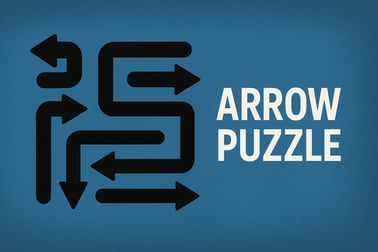
Arrow Puzzle is a calm logic game. Tap arrows in the right order, clear the board, and enjoy relaxing brain-teasing levels online.















Arrow Puzzle
Overview of Arrow Puzzle
Arrow Puzzle is a relaxing arrow logic puzzle you can play right in your browser. Each level is a compact grid packed with arrows pointing in different directions. Your job is to tap the arrows in the right order so they slide off the board without crashing into anything. It’s a minimalist puzzle game online that blends calm visuals with surprisingly deep strategy.
If you enjoy logic grid puzzle games for adults, tap-away challenges, or spatial brain teasers, Arrow Puzzle fits perfectly into that niche. There are no timers, no pressure, and no rush. You can think through each move, step back when you need to, and enjoy that satisfying moment when the last arrow finally leaves the board and the grid is completely clear.
This browser version keeps the experience simple and accessible: one click or tap per move, instant restarts, and a smooth difficulty curve. Whether you’re grabbing a quick break at work or unwinding at night, it’s an easy way to give your brain a gentle workout while staying fully relaxed.
How to Play Arrow Puzzle and Clear Every Board
Arrow Puzzle looks simple at first glance, but success comes from understanding how its logic works. Here’s a step-by-step guide so you can clear each board without running out of lives.
Understand the core rule
Arrow Puzzle is a tap away arrow game built around a single rule:
- An arrow can only move off the board if the straight line in front of its tip is completely clear.
That means:
- If there’s another arrow in its path, it can’t move yet.
- If there’s an obstacle in front of it, you have to remove the obstacle first.
- When an arrow moves, it slides all the way off the grid in the direction it’s pointing.
Step-by-step gameplay flow
- Scan the board. Before tapping anything, look at every arrow and mentally trace the line straight ahead from its tip.
- Find “free path” arrows. These are arrows whose route off the board isn’t blocked by any other arrows or objects.
- Tap a free arrow. A valid arrow will smoothly glide off the grid, freeing up space for others.
- Re-scan the board. Each move changes which arrows are now free to leave. Keep repeating the process.
- Clear all arrows. You win the level when the last arrow has left the grid and the board is empty.
Avoid losing lives
To keep the game relaxing but still challenging, Arrow Puzzle uses a life system:
- Limited lives per level: You start each level with a small number of hearts.
- Wrong taps cost hearts: If you tap an arrow whose path is blocked, you lose one life.
- Run out of lives: You’ll have to restart the level, but you can always try again at your own pace.
The key to mastering this arrow logic puzzle is patience. If you’re not sure an arrow’s path is clear, don’t rush—trace the line again and look for overlaps or crossings.
Using hints (when available)
Some versions of Arrow Puzzle include a hint button. When you’re stuck:
- Tap the hint icon to highlight a safe arrow that can move off the board.
- Use hints sparingly, especially if you’re trying to train your logic and spatial skills.
Basic Rules & Mechanics
Arrow Puzzle keeps its rules intentionally minimalist so you can focus on pure logic instead of memorizing complex systems. Here’s how the core mechanics work in more detail.
Arrow behavior
- Direction-locked: Each arrow is fixed to one direction (up, down, left, right, or diagonals if included in certain levels).
- All-or-nothing movement: An arrow doesn’t move step by step. When it’s free, it slides all the way off the board in one smooth motion.
- No mid-path stops: Arrows never stop halfway; they either leave the grid or don’t move at all.
Blocked paths
An arrow is considered blocked if:
- Any other arrow sits on the line directly in front of its tip.
- There’s a fixed obstacle tile on its route.
- Special tiles (like mirrors or portals in advanced levels) redirect the line in a way that leads to a collision.
Tapping a blocked arrow doesn’t move it; instead, it costs you a life. That’s why Arrow Puzzle is a logic grid puzzle for adults and thoughtful players—it rewards thinking, not tapping at random.
Lives, levels, and progression
- Lives: Each level grants a fixed number of hearts. Mistakes reduce your lives by one.
- Level completion: Clear every arrow to finish the board and move on.
- Difficulty curve: Early levels act as a tutorial with very obvious free paths, while later levels add more arrows, tighter spaces, and trickier layouts.
This structure makes Arrow Puzzle ideal as a relaxing brain teaser you can pick up for a few minutes at a time, or play through several boards in a row when you’re in the mood for a longer logic session.
Arrow Puzzle Tips: Plan Your Move Order Like a Pro
Beating harder Arrow Puzzle levels isn’t about fast reflexes; it’s about planning your move order. Here are practical strategies to help you solve tougher boards efficiently.
1. Work from the outside in
In many boards, it’s easier to start with arrows that already point toward the edge:
- Look for arrows close to the border of the grid.
- Check if their straight path is already clear.
- Clear them first to open new routes deeper inside the puzzle.
2. Identify “key” blocking arrows
Some arrows sit in bottleneck positions and block several others at once. Those are high-priority moves:
- Find arrows that lie directly in front of multiple other paths.
- Figure out how to free those blockers without losing lives.
- Once a key blocker is removed, the puzzle often cascades into easier choices.
3. Trace imaginary lines
Instead of staring at arrows one by one, imagine thin lines stretching out from each arrow tip:
- If two or more lines cross over the same square, that area is a tension point.
- Think about which arrow should leave first to keep other lines clear.
4. Avoid random tapping
Arrow Puzzle punishes guesswork, especially in later levels where lives are limited:
- Never tap an arrow until you’ve visually checked its entire path.
- If you’re unsure, skip that arrow and inspect another one first.
- Treat every move as part of a sequence, not an isolated decision.
5. Use restarts to learn patterns
Restarting isn’t failure; it’s feedback:
- When a plan goes wrong, restart and remember which early moves caused trouble.
- Try a different opening sequence and compare how many arrows become free.
- Over time, you’ll develop an instinct for “safe” openings on complex grids.
By combining these strategies, you’ll start seeing Arrow Puzzle not just as a casual tap away arrow game, but as a layered logic experience where each board is a small puzzle to decode.
Relaxing Logic Fun: Why Arrow Puzzle Is Great for Your Brain
Arrow Puzzle is designed to be both calming and mentally engaging. It’s a relaxing brain teaser that nudges you to think carefully while keeping the overall experience gentle and stress-free.
Train logic and planning skills
Every board is a miniature logic grid:
- You evaluate conditions (blocked vs. free paths).
- You sequence actions (deciding the best move order).
- You adapt plans based on the new layout after each turn.
This kind of structured thinking is closely related to problem-solving skills you use in everyday life—just delivered in a softer, more playful format.
Boost spatial awareness
Because each arrow’s path is a straight line across the grid, you constantly:
- Visualize overlapping routes.
- Predict future states of the board.
- Rotate the puzzle in your mind without physically moving pieces.
That’s why Arrow Puzzle feels similar to other logic grid puzzles for adults: it quietly works your spatial reasoning and pattern recognition.
Calm, minimalist design
As a minimalist puzzle game online, Arrow Puzzle keeps distractions to a minimum:
- No loud effects or busy backgrounds.
- No time limits pushing you to move faster.
- A clean grid and clear arrow shapes that are easy on the eyes.
The result is a low-pressure environment where you can focus deeply without feeling rushed. It’s ideal as a short mental reset between tasks or a gentle evening wind-down.
Handcrafted Levels and Features in Arrow Puzzle
Arrow Puzzle focuses on quality over clutter. Instead of overwhelming you with too many systems, it offers thoughtfully built boards and a consistent rule set that stays satisfying as difficulty increases.
Handcrafted puzzles
- Curated challenge: Levels are arranged to slowly introduce denser grids, trickier crossing paths, and more complex blocking arrangements.
- Always solvable: Because every board is built around the core arrow logic, there’s always at least one clean path through the puzzle.
- Varied layouts: Expect everything from simple practice boards to intricate arrow clusters that take several planned sequences to unwind.
Progressive difficulty
Arrow Puzzle doesn’t spike in difficulty at random:
- Early levels guide you through the basics of the tap away arrow game idea.
- Mid-game boards test your ability to spot long blocking chains.
- Later stages demand precise move orders and more careful life management.
Daily and casual play
Because levels are short and self-contained, Arrow Puzzle works equally well for:
- Daily puzzle habits – log in, clear a few boards, and log out refreshed.
- Extended sessions – string together multiple puzzles if you’re in the mood for a longer logic run.
That balance between quick sessions and deep focus is what makes Arrow Puzzle stand out among minimalist puzzle games online.
Arrow Puzzle: Game Modes & Features
Arrow Puzzle keeps its structure streamlined so players can jump in immediately, but there are still a few distinct ways to enjoy the game.
Main mode
- Linear level progression: You move from one handcrafted arrow logic puzzle to the next.
- Increasing challenge: New boards add more arrows and tighter spaces as you advance.
- Lives per level: Each board gives you a limited number of mistakes before a restart.
Potential extra features (game-dependent)
Depending on the specific implementation you’re playing in your browser, Arrow Puzzle may also include:
- Daily puzzles: Fresh boards each day to build a consistent relaxing brain teaser habit.
- Hint system: Optional help when you’re stuck on late-game logic grid puzzles.
- Level replay: Return to earlier boards to try for “perfect” clears without losing any lives.
Even with these additions, the experience stays focused: clear paths, careful taps, and that satisfying moment when everything on the grid finally lines up.
Performance & Troubleshooting
Arrow Puzzle is built to run smoothly in modern desktop and mobile browsers, but here are a few tips if you ever run into issues.
If the game doesn’t load
- Refresh the page: A simple reload often fixes temporary loading glitches.
- Check your connection: Make sure your internet connection is stable while the game first loads.
- Try another browser: Recent versions of Chrome, Firefox, Edge, and Safari are recommended.
If the game feels slow or laggy
- Close extra tabs: Having too many tabs or apps open can drain memory on weaker devices.
- Disable heavy extensions: Ad-blockers or script-heavy extensions can sometimes interfere with browser games.
- Lower display load: On some browsers, reducing system-level visual effects can free up performance.
If input doesn’t register
- Check your cursor or touch accuracy: Make sure you’re tapping directly on the arrow you want.
- Zoom level: If your browser is heavily zoomed in or out, reset zoom to 100% for best accuracy.
- Reload: If clicks or taps suddenly stop working, a quick refresh often restores normal behavior.
Because Arrow Puzzle is a minimalist puzzle game online, it doesn’t demand powerful hardware. Even modest devices should handle it comfortably once the page is fully loaded.
Where to Play Arrow Puzzle
Arrow Puzzle is designed first and foremost as a browser-based experience, so it’s easy to jump in with almost no setup.
Play in your browser
- Desktop and laptop: Open your preferred modern browser, load the game page, and start playing instantly.
- Mobile browser: On phones and tablets, just tap the game link; the interface adapts to smaller screens.
- No installation: There’s no need to download large files or create an account just to try one level.
Session flexibility
One of the advantages of Arrow Puzzle as a browser game is how flexible it is:
- Start a level on your computer during a break.
- Come back later on the same device and keep playing.
- Use it as a quick relaxing brain teaser whenever you have a spare minute.
Because each level is short and self-contained, there’s no pressure to commit to long sessions. You can hop in, solve a board or two, and hop out feeling mentally refreshed.
Offline Play Availability for Arrow Puzzle
Arrow Puzzle is primarily intended as an online browser puzzle, which means it’s designed to be played with an active internet connection. In most cases:
- You need to be online to initially load the game and assets.
- Progress saving usually depends on the browser having access to the game’s servers or local storage features while you’re connected.
Some browsers can temporarily keep parts of the page cached, so if you lose connection mid-session you might still be able to finish the current board. However, for the most consistent experience, treat Arrow Puzzle as an online-first arrow logic puzzle.
If you’re planning to play in a low-connection environment, it’s a good idea to:
- Open the game while you still have a strong signal.
- Avoid closing the tab or browser while you’re offline.
Exact offline behavior (like whether progress is stored locally or synced) can vary by platform, but as a rule, Arrow Puzzle is best enjoyed as a minimalist puzzle game online with an active connection.
Arrow Puzzle FAQs: Lives, Hints, and Daily Play
This quick FAQ covers the most common questions about playing Arrow Puzzle as a relaxing, logic-first brain game.
How many lives do I get per level?
Each level gives you a small number of lives (hearts). Every time you tap an arrow whose path is blocked, you lose one life. Lose all lives, and you’ll need to restart the board—but there’s no penalty for trying again.
What happens when I use a hint?
If the version you’re playing includes a hint system:
- A hint typically highlights a safe arrow that can move off the board.
- Using hints may be limited or balanced in some modes to keep the puzzle challenge intact.
Hints are there to keep the experience relaxing, so you never feel stuck forever on a single arrow logic puzzle.
Are there daily puzzles or challenges?
Some implementations of Arrow Puzzle offer daily challenges or rotating boards. These are designed as short, focused puzzles you can clear each day, helping you build a gentle daily logic routine.
Is Arrow Puzzle suitable for kids?
Yes. Arrow Puzzle is a family-friendly game with clean visuals and no inappropriate content. While it’s positioned as a logic grid puzzle for adults and thoughtful players, kids who enjoy spatial puzzles can also benefit from the calm, non-violent gameplay.
Do I need to create an account?
In most browser-based versions, no account is required. You simply open the page and start playing. Your progress may be stored in your browser’s local storage, so using the same device and browser is usually the best way to keep your levels.
Whether you’re a fan of tap away arrow games, minimalist puzzle games online, or just looking for a quiet, relaxing brain teaser to slip into your daily routine, Arrow Puzzle delivers a clear, focused logic experience that’s always a click or tap away.
Frequently Asked Questions
How do you play Arrow Puzzle?
Tap an arrow to make it slide in the direction it points. It will only move if the path ahead is clear. Remove all arrows from the board to finish the level.
Is Arrow Puzzle free to play?
Yes, Arrow Puzzle is free to play in your browser. You can start solving logic levels instantly without sign-up or downloads.
Can kids play Arrow Puzzle safely?
Yes. Arrow Puzzle is family-friendly, with simple controls and clean visuals. It focuses on logic and planning rather than violence or fast reactions.
What happens if I tap a blocked arrow?
If you tap an arrow whose path is blocked, the move may count as a mistake and can cost you a life on that level. Think ahead and choose arrows with a free path.
Does Arrow Puzzle have hints or undo?
Many versions of Arrow Puzzle offer hints to show a safe arrow to tap next, and an undo option so you can step back from a wrong move and try another plan.