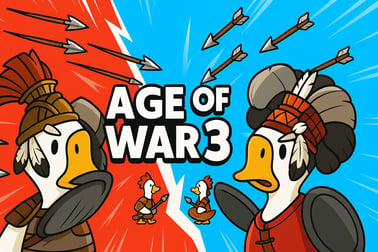
Age Of War 3 lets you defend your base, build turrets, and evolve through eras with powerful units and tech. Play free in your browser now.























Age Of War 3
Introduction to Age Of War 3
Age Of War 3 is a fast-paced war of ages strategy game where you command a base, evolve your army through multiple eras, and push the enemy back before they destroy your headquarters. It blends real-time strategy, tower defense evolution, and wave-based action into one addictive browser experience. You start with primitive troops, slowly unlock new ages, and end up fielding tanks, jets, and futuristic robots against relentless alien invaders.
This is a pure browser base defense game: you play directly in your web browser with no download, making it ideal for PC, laptop, and Chromebook players. Each match is a tug-of-war between two bases. Your job is to balance economy, unit production, and turret placement while constantly upgrading your army to stay ahead of the enemy’s evolution.
For fans of strategy, tower defense, and action games, Age Of War 3 offers a satisfying loop: build, defend, evolve, and then unleash devastating attacks. Whether you’re looking for a quick unblocked war strategy session at school or work, or a longer campaign to master each era, this game delivers plenty of replay value.
Age Of War 3 Control Guide
Age Of War 3 is fully playable with just your mouse or touchpad, making it perfect as a quick, accessible online army upgrade game. Here’s how the core controls and interface work in most browser versions:
- Mouse Click / Tap – Select menus, build units, purchase buildings, place turrets, and activate special abilities.
- Base Panel – Click your base to open the main interface for buildings, upgrades, and evolving to the next age.
- Unit / Building Buttons – Click a unit-producing building or turret icon to buy it (if you have enough resources). Most buildings then auto-spawn units over time.
- Special Ability Icons – Usually shown above or below the battlefield. Click to trigger powerful spells (meteor showers, bombing runs, etc.) once their cooldown is ready.
- Pause / Menu – Click the menu icon (often top of the screen) to pause, tweak settings, or restart.
You don’t micro-manage each soldier. Instead, you manage production and positioning. Buildings automatically generate units that march from left to right toward the enemy base. You focus on when to upgrade, which buildings to buy, and what turrets to place to build an unstoppable war machine.
Key Features
Age Of War 3 stands out from other tower defense evolution titles thanks to a mix of progression, automation, and moment-to-moment decision-making. Below are the core features that define this browser base defense game:
- Multi-era evolution gameplay – Fight across distinct ages, from primitive warriors to futuristic cyborgs and lasers. Each age reshapes your army and tactics.
- Automatic unit production – Instead of spawning every unit manually, you build barracks-style structures that automatically produce troops, freeing you to focus on strategy.
- Deep turret and base defense system – Build and upgrade defensive towers, walls, and special turrets (including quirky options like chicken turrets in some versions) to hold the line.
- Powerful special abilities – Earn and deploy destructive abilities like meteor strikes, air bombardments, or lightning storms to turn the tide of battle.
- Enemy evolution & bosses – Battle aliens and enemies that also evolve through the ages, including tough boss units that test your defenses.
- Multiple difficulty levels – Tweak the challenge to fit casual players or seasoned strategy fans, especially in mobile and extended versions.
- Instant browser play – Most web builds run straight in a modern browser—no installation—making it a convenient unblocked war strategy pick.
Together, these features make Age Of War 3 feel more like a streamlined RTS fused with tower defense than a simple clicker, while still being easy to pick up in a few minutes.
Performance & Troubleshooting
Age Of War 3 is generally lightweight, but some browser setups or older machines can run into hiccups. If your war of ages strategy game session isn’t running smoothly, try these quick fixes:
Improve Performance in Your Browser
- Close extra tabs – Multiple streaming or heavy tabs can eat CPU/RAM and cause lag or stutter on the battlefield.
- Disable unnecessary extensions – Ad blockers or script modifiers sometimes interfere with browser games; try disabling them for the game’s site.
- Lower browser zoom – Set zoom to 100%. Extreme zoom levels can cause scaling and performance issues.
- Update your browser – Use the latest version of Chrome, Edge, Firefox, or another modern browser for best compatibility.
Fix Common In-Game Issues
- Game not loading – Refresh the page, clear cache, or try a different browser. On school/work networks, certain domains may be blocked, so try an alternative unblocked war strategy mirror if available on your platform.
- No sound – Make sure in-game audio isn’t muted, then check browser tab mute status and your device’s volume mixer.
- Controls not responding – Click directly inside the game frame to ensure it has focus. On touch devices, tap the play area once before using UI buttons.
Because the game is resource-light, most performance problems can be solved by restarting your browser or switching devices. For mobile or tablet play, closing background apps and using Wi‑Fi instead of mobile data often helps with stability.
Is Age Of War 3 Safe to Play Online?
Age Of War 3 is designed as a family-friendly, browser-based strategy title with stylized combat. There’s no realistic gore or graphic violence—units simply attack, take damage, and disappear when defeated—making it suitable for teens and many younger players, depending on parental preference.
To keep your experience safe:
- Play on reputable game portals – Stick to known gaming sites or educational platforms that host HTML5/browser games to avoid misleading pop-ups or downloads.
- No downloads required – You can enjoy this online army upgrade game directly in your browser. Avoid sites that force unrelated installers or files.
- Minimal data collection – Most browser versions don’t require account creation. Any saved progress is usually stored locally in your browser cache.
For younger players, adults may want to sit in for the first session, check the hosting site’s ads and links, and then decide if the environment matches their expectations. As a rule, if you’re just clicking Play and controlling your base in the browser window—without installing anything—you’re using Age Of War 3 how it’s meant to be played.
How to Play Age Of War 3 Online in Your Browser
Playing Age Of War 3 in your browser is straightforward, and it’s a perfect way to jump into a quick browser base defense game session. Here’s the typical step-by-step flow:
- Open a modern browser – Chrome, Edge, Firefox, Brave, or Safari on desktop or laptop work best.
- Visit a trusted game site – Navigate to a platform that hosts Age Of War 3 as an HTML5 or WebGL title. Look for a big Play or Start button.
- Wait for the game to load – The loading bar should complete within a few seconds to a minute, depending on your connection.
- Select difficulty (if available) – Some versions let you choose from multiple difficulties before battle begins.
- Follow the tutorial prompts – Early waves often include hints that explain how to build your first gatherers, place turrets, and evolve to the next age.
Once you’re in, your goal is simple: destroy the enemy base before they destroy yours. Keep an eye on your resources, expand your building lineup, and use special powers when things get overwhelming.
Tips and Strategies to Evolve Faster Through the Ages
Winning in this war of ages strategy game is all about evolving at the right time while keeping your base safe. These tips will help you climb the ages faster and more efficiently:
1. Prioritize Economy Early
- In the first era, invest heavily in resource-gathering buildings or workers. A strong economy lets you afford both defenses and age upgrades later.
- Send gatherers to the safest but most profitable resource spots when you have options; distant points usually yield more but need protection.
2. Maintain a Stable Front Line
- Always have a stream of offensive units marching toward the enemy. A consistent flow of troops acts like a moving shield for your base.
- If the enemy waves are stacking up near your base, pause new buildings and dump resources into extra units or emergency turrets.
3. Time Your Age Upgrades
- Don’t rush to evolve if your defenses are weak. A badly timed age upgrade can leave you exposed while new buildings come online.
- Upgrade when you’ve stabilized income, cleared a major enemy wave, or built enough turrets to survive a counterpush.
4. Use Special Abilities Smartly
- Save global spells for big clumps of enemies or boss waves, not single targets.
- Combine an ability (like a meteor shower) with a counterattack surge—drop the spell, then immediately spend resources on a unit wave while the enemy is weakened.
5. Adapt to the Enemy’s Composition
- If the enemy focuses on air units (in later ages), shift your turret mix toward anti-air and build units that can hit flying targets.
- When facing tanky single targets, prioritize high-damage towers or armor-piercing units over cheap swarm troops.
By following these strategies, you’ll find yourself evolving earlier and more often, unlocking advanced weaponry and dominating longer matches of this online army upgrade game.
All Eras and Units in Age Of War 3 Explained
One of the biggest draws of Age Of War 3 is watching your army evolve through multiple eras. Exact names and cosmetics can vary between browser and mobile editions, but the structure is similar. You progress through early ages with basic infantry, climb into modern warfare, and end in a high-tech future age.
Typical Eras You’ll Encounter
- Primitive / Stone Age – Simple melee units, basic resource gatherers, and minimal defenses. Focus on economy and survival.
- Medieval / Castle Age – Knights, archers, and sturdier walls enter the battlefield. You begin mixing ranged and melee troops.
- Renaissance / Early Gunpowder Age – Musketeers, cannons, and upgraded turrets appear, shifting focus to ranged firepower.
- Modern Age – Rifles, machine guns, tanks, and advanced artillery give you explosive offensive power.
- Future Age – Cyborg infantry, laser turrets, and high-tech vehicles dominate, turning the game into a sci-fi showdown against advanced aliens.
Unit Types You’ll Use
Across these eras, you’ll typically control a mix of:
- Frontline melee units – Cheap, close-combat troops that soak damage and slow enemy advances.
- Ranged attackers – Archers, gunners, and laser troopers that fire from behind your melee wall.
- Heavy units – Tanks, armored beasts, or mechs that push through enemy lines and threaten their base.
- Support / special units – Units with splash damage, anti-air abilities, or high single-target DPS to counter specific threats.
Because unit production is tied to buildings, your tech path matters. Each new age unlocks stronger buildings that spawn better units, and upgrading your mix of structures is key to mastering this tower defense evolution gameplay loop.
Base Defense, Turrets, and Special Abilities Guide
Strong base defense is the backbone of every successful run in Age Of War 3. Even in a forward-pushing unblocked war strategy match, you need enough turrets and abilities to survive sudden spikes in enemy strength.
Building an Effective Defensive Line
- Layer your defenses – Place a mix of short-range, high-damage turrets close to your base and longer-range towers slightly farther out.
- Cover all approach types – In later ages, combine anti-ground cannons with anti-air towers to prevent enemies slipping through.
- Upgrade instead of overbuilding – A few well-upgraded turrets often outperform many weak ones, and they’re easier to support with spells.
Synergy Between Units and Turrets
- Use melee units as a moving shield in front of your towers. While they hold enemies in place, towers can dish out maximum damage.
- Position turrets where they can fire for a long time on enemies marching in—choke points or mid-lane spots work best.
Mastering Special Abilities
- Area-of-effect spells – Like meteors, bombs, or lightning: ideal for large enemy clusters and boss support waves.
- Defensive buffs or heals – If available, these can buy your base and towers precious seconds when nearly overwhelmed.
- Ultimate abilities – Long-cooldown powers should be reserved for the most dangerous waves or for finishing off the enemy base push.
Remember: base defense in this browser base defense game isn’t about playing passively. The best defense is a steady offense backed by smartly placed turrets and well-timed abilities.
Frequently Asked Questions About Age Of War 3
Is Age Of War 3 free to play?
Most browser versions of Age Of War 3 are completely free to play with optional ads. Some mobile editions may include in-app purchases, but the core experience remains accessible at no cost.
Can I play Age Of War 3 as an unblocked war strategy game at school?
That depends on your school or workplace network filters. Many platforms host Age Of War 3 as a simple HTML5 strategy title, which often passes through filters. If one site is blocked, you may find another mirror that works, but always follow your local rules and policies.
Do I need to download anything to play?
No. Age Of War 3 is primarily a browser base defense game. Just open it in your browser and hit play. Avoid sites that push unrelated downloads or installers.
How long does a typical match last?
A full run through all ages can take anywhere from 15 to 40 minutes, depending on difficulty, strategy, and how quickly you evolve. You can also play shorter sessions by experimenting with early-age strategies or higher difficulty modes.
Is there multiplayer or only single-player?
Age Of War 3 is traditionally a single-player experience where you face off against evolving AI-controlled enemies. The challenge comes from surviving tougher waves, not from human opponents.
What makes Age Of War 3 different from earlier games?
The biggest change is the emphasis on automatic unit production via buildings. Instead of manually spawning every unit, you purchase structures that generate troops, letting you focus on tech, timing, and base defense. The expanded number of eras and units also makes this entry feel like a more complex online army upgrade game.
Whether you’re new to the series or a returning fan, Age Of War 3 offers a satisfying blend of strategy, tower defense evolution, and all-out action—all from the comfort of your browser.
Frequently Asked Questions
Can I play Age Of War 3 online for free?
Yes. Age Of War 3 can be played for free in your browser with no download required on most PCs, Chromebooks, and mobile devices.
How do you evolve to the next age in Age Of War 3?
You evolve by earning enough resources and experience, then spending them on the age upgrade button in your base menu to unlock new units and defenses.
Is Age Of War 3 a tower defense or strategy game?
Age Of War 3 is a mix of real-time strategy and tower defense. You build turrets and walls while also sending units to destroy the enemy base.
Can kids play Age Of War 3 safely?
The game features cartoon-style battles with no realistic gore. It is generally family-friendly, but parents should review it first for younger children.
Do I need an account to play Age Of War 3?
No account is required on most browser game sites. You can click play and start defending your base right away.