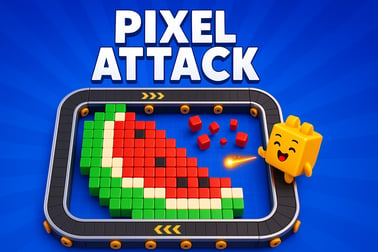
Pixel Attack is a fast retro pixel arcade game. Click, shoot, and survive waves of enemies, build combos, and chase high scores right in your browser.























Pixel Attack
Overview of Pixel Attack
Pixel Attack is a fast-paced retro pixel shooter that blends the feel of classic arcade cabinets with modern browser convenience. You play directly in your web browser, clicking and shooting your way through waves of colorful pixel targets while racing against a ticking clock. It’s part survival space shooter, part online clicker arcade, and all about quick reactions, smart power-up use, and chasing that next high score.
This pixel art arcade game is built around short, replayable runs. You start with a tight time limit, then extend the countdown by hitting targets quickly, collecting time-boosting power-ups, and maintaining big combos. Whether you think of it as a minimalist browser shooting game or an energetic retro pixel shooter, Pixel Attack is designed to drop you into the action in seconds with no downloads, no sign-ups, and no paywalls.
The visuals lean into chunky, neon-infused pixel art, with balls, orbs, or space objects popping on the screen in different sizes and colors. Each one’s worth different points, and some hide powerful effects that can either save a run or end it early. Underneath the old-school look, the game tracks your best scores, supports different display themes, and responds smoothly on both desktop and mobile.
If you enjoy classic arcade shooters, timer-based score chasers, or simple but addictive browser games you can play in short bursts, Pixel Attack fits right into your rotation. It’s easy to understand in a single round, but tough to master once you start optimizing combos, routing your clicks, and trying to squeeze every last second from the timer.
How to Play Pixel Attack
Even though Pixel Attack looks and feels like a retro pixel shooter, the core mechanics are refreshingly simple. It’s all about clicking, timing, and reading the screen.
Starting a New Run
- Open the game page in your browser.
- Wait for the game to load, then hit the Start Game or Play button.
- The countdown timer starts, targets spawn, and your run begins immediately.
Your goal is to score as many points as you can before the timer hits zero. If time runs out or you miss key power-ups, your run ends and your final score is recorded.
Core Rules & Systems
Pixel Attack mixes arcade shooting game rules with a clicker-style interface:
- Click to score: Each target you hit with a click adds points to your score. Different target sizes and types pay out different values.
- Beat the clock: You start with a short time limit. Certain targets or power-ups add extra seconds; others can reduce your remaining time.
- Build combos: Rapid, consecutive hits without long gaps raise your combo multiplier, boosting every point you earn.
- Avoid hazards: Not everything on screen is friendly. Bomb-style targets or negative icons can cut your time or break your combo.
Rounds are intentionally brief, which makes it easy to jump in, experiment, and quickly see your skill improve. You’ll find a satisfying loop of “just one more run” as you better understand the scoring system and power-up behavior.
Pixel Attack Game Modes
Pixel Attack focuses on streamlined, arcade-style gameplay, but within that structure you’ll encounter several ways the game can challenge you. Think of these as modes and variants that keep the retro pixel shooter formula fresh.
Classic Survival Mode
This is the default way to play and the core of the experience:
- You start with a base time limit.
- Targets spawn in waves, often at random positions.
- Hit as many as you can, chain combos, and collect time-boosting power-ups.
- The run ends when the timer reaches zero.
Classic survival mode is ideal for casual sessions and high-score chasers who want a straightforward pixel art arcade game challenge.
Time Attack / Challenge Variants
Some implementations of Pixel Attack introduce optional challenge variations, such as:
- Fixed Time Attack: You get a locked time window (for example, 30 or 60 seconds) with no time-adding power-ups. The only goal is to maximize points within that strict limit.
- Hardcore Survival: Hazards spawn more often, bomb penalties are harsher, and combos decay faster. Great if you’ve already mastered the standard mode.
- Theme or Event Modes: Occasionally the game may offer cosmetic variants (like a darker “space” theme or seasonal visuals) without changing the core rules.
All of these play into the same high-score-driven, online clicker arcade feel, but they nudge you to adjust your strategy each time.
Key Features
- Retro pixel art style: Chunky pixels, clear silhouettes, and bright colors keep targets readable even at high speed.
- Combo-based scoring: Quick reactions and clean sequences are rewarded far more than random clicking.
- Dynamic power-ups: Time boosts, screen-clearing strikes, and bomb hazards add risk and reward to every run.
- Browser-based play: No download or install required; just click and play.
- Responsive design: Works across desktop, laptop, and many mobile browsers, making it a flexible browser shooting game you can take anywhere.
Performance & Troubleshooting
Because Pixel Attack is a lightweight browser game using HTML, CSS, and JavaScript, it generally runs smoothly on modern devices. Still, if your retro pixel shooter session doesn’t feel as fluid as it should, these tips help.
Optimizing Performance
- Use a modern browser: Chrome, Firefox, Edge, and up-to-date Safari tend to give the best results.
- Close extra tabs: Many open tabs or heavy pages (like video streams) can slow down any browser shooting game.
- Disable unnecessary extensions: Ad blockers or script-heavy extensions sometimes conflict with web games. Try pausing them on the game’s domain.
- Check your connection: While play itself is usually local, unstable internet can affect initial loading or score syncing.
Common Issues & Fixes
- Game won’t start or is stuck on loading: Refresh the page, clear your browser cache, or try an incognito/private window to rule out extension conflicts.
- Input feels delayed: Lower background activity (downloads, streams, other games) and switch to a wired mouse on desktop if possible for more precise clicking.
- Audio glitches: Toggle the in-game sound settings if available, or reload the tab. Keeping only one instance of the game open can reduce audio overlap issues.
- Mobile controls not registering: Try a different mobile browser, rotate your device to landscape if supported, and make sure your screen is clean and multitouch is working properly in other apps.
In most cases, a quick refresh or switching to another browser is enough to get Pixel Attack running at full speed so you can focus on improving your combo route and score.
Is Pixel Attack Safe to Play Online?
Pixel Attack is designed as a family-friendly pixel art arcade game with simple shapes, bright colors, and arcade-style effects. There’s no graphic violence, no realistic weapons, and no mature themes; the focus is purely on reflexes, timing, and score chasing.
Content & Age Suitability
- Visual style: Retro pixel art, abstract targets, and simple visual effects make it suitable for a wide audience.
- No chat or user-generated content: You’re not exposed to public lobbies or text chat while playing.
- Short sessions: Runs are brief, which helps keep playtime easy to manage for younger players.
As with any browser shooting game, parents may want to supervise very young children, but Pixel Attack itself keeps the action light, colorful, and non-graphic.
General Online Safety Tips
- Play from reputable gaming portals or the official project link.
- Avoid installing unknown third-party “boosters” or executables claiming to modify the game; Pixel Attack runs entirely in the browser.
- Use up-to-date antivirus and keep your browser current to benefit from the latest security patches.
Within those normal online safety guidelines, Pixel Attack is a straightforward and safe way to enjoy quick-hit arcade action.
How to Play Pixel Attack Online in Your Browser
One of Pixel Attack’s strengths is how quickly you can jump in. There’s no registration or download step typical of larger games; everything runs directly in your browser as a compact online clicker arcade experience.
Step-by-Step: Getting into a Game
- Open the game page: Visit your preferred browser gaming platform that hosts Pixel Attack.
- Wait for load: The game assets and scripts will load in just a few seconds on a typical connection.
- Adjust options (optional): If the game offers theme toggles (light/dark), sound on/off, or display tweaks, set those before starting.
- Press Start: Click the main Start or Play button to begin your run.
- Start clicking: Targets will appear on screen. Hit them as fast and as accurately as you can to rack up points and beat the timer.
Because it’s a browser-based retro pixel shooter, you don’t need a powerful PC or gaming console. Any reasonably modern desktop, laptop, or mobile browser should run Pixel Attack comfortably.
Best Devices for Pixel Attack
- Desktop & Laptop: Offers the most precise control with a mouse, ideal for high-score attempts and long combo chains.
- Tablets: Convenient for casual play; the bigger touch screen helps when tapping multiple targets quickly.
- Phones: Great for quick sessions on the go. Smaller screens work fine because the pixel art is bold and easy to read.
For serious high-score hunting, a desktop or laptop with a good mouse will give you the edge in this reaction-driven browser shooting game, but the flexible design makes every device viable.
Pixel Attack Controls, Power-Ups, and Combos Explained
Pixel Attack keeps inputs simple so you can focus on reading patterns, managing risk, and maximizing score. The depth comes from how you use power-ups and maintain combos under time pressure.
Controls
- Mouse / Touch: Click or tap on targets to destroy them and earn points.
- Start / Restart: Click on-screen buttons like Start, Play, or Retry between runs.
- Pause (if available): Some versions offer a small pause or settings icon you can click to halt the action.
There are no complex keyboard combos or controller layouts to memorize—just fast, accurate pointing and clicking, just like classic arcade shooters trimmed down for the browser.
Power-Ups
Power-ups are what transform Pixel Attack from a basic clicker into a satisfying retro pixel shooter with strategic decisions. While exact icons may vary, you’ll typically see effects like:
- Time Boost: Adds a few seconds to the clock, extending your run and letting you push for a higher score.
- Strike / Screen Clear: Instantly collects or destroys all safe targets currently on screen, giving a big burst of points and often fueling your combo.
- Bomb / Time Penalty: If tapped, this hazard will cut precious seconds from the timer or break your combo. Learn to recognize and avoid it.
Collecting positive power-ups at the right time is the key to survival and bigger scores in this browser shooting game. Grabbing a time boost when your timer is low can completely turn a run around.
Combo System
Pixel Attack uses combos to reward quick, consistent play:
- Hitting targets in rapid succession builds a combo multiplier.
- Each successful hit at a higher multiplier earns more points.
- Missing long gaps between hits or triggering a penalty effect can reset or lower your multiplier.
This combo system is what gives Pixel Attack its addictive arcade rhythm. It encourages you to keep scanning the field, prioritize safe targets, and avoid hazards even when the timer’s dropping.
Tips to Survive Longer and Reach Higher Levels in Pixel Attack
Getting started in Pixel Attack is easy; mastering it takes a bit more focus. These strategy tips will help you survive longer, climb to higher levels or waves, and consistently push your high score higher.
Prioritize Time Over Raw Points
In a survival space shooter with a strict timer, time is your real health bar. While high-value targets are tempting, you should:
- Grab time-boosting power-ups whenever they appear, even if it means skipping a regular target.
- Avoid bomb or penalty icons at all costs; losing several seconds hurts more than missing one target’s worth of points.
- Use screen-clearing strikes when there’s a dense cluster of targets so you gain maximum benefit without wasting time repositioning your cursor.
Stay Near the Center of the Screen
In a mouse-based online clicker arcade game, cursor positioning is crucial. Hover near the center or slightly above center so you can quickly move in any direction. This cuts travel time, helps maintain combos, and lets you react faster when rare power-ups appear at the edges.
Learn Target Values and Sizes
Not all targets are equal. Some versions of Pixel Attack use different sizes (small, normal, large) or colors to signal value:
- Small targets: Often worth more points but harder to hit; great during solid combo streaks.
- Normal targets: Reliable, good for padding your combo safely.
- Large targets: Easy to hit but lower value; use them to keep your combo alive when nothing else is safe or reachable.
Once you “read” the layout at a glance, you’ll react instinctively and waste fewer clicks on low-value or risky options.
Plan Around Your Combo
Your combo multiplier is what distinguishes an average score from a great one in this retro pixel shooter:
- Don’t break your combo chasing a distant power-up if you’ll miss multiple closer targets.
- During a strong streak, favor higher-value targets and screen-clearing power-ups to multiply your gains.
- When your combo drops, slow down for a second and re-center your cursor so you can rebuild safely.
Retro Pixel Art Shooter Experience in Pixel Attack
Pixel Attack is deliberately styled to evoke the feel of classic arcade machines and early home consoles. That aesthetic isn’t just about looks; it supports clarity and mood during fast-paced play.
Visual Style
- Chunky pixels: Large, blocky sprites are easy to track at a glance, even when targets spawn rapidly.
- High contrast: Backgrounds and targets are colored to stand apart clearly, making it simple to distinguish threats, bonuses, and neutral targets.
- Subtle effects: Flashes, pops, and particle-style bursts give satisfying feedback when you destroy a target without cluttering the screen.
This clean retro look keeps the game readable, which is a big advantage in any time-limited browser shooting game.
Audio & Atmosphere
Pixel Attack typically pairs its visuals with chiptune-inspired sound effects and simple background loops. Each hit, combo increase, or power-up pickup gets its own clear audio cue, helping you:
- Know when your combo is active or dropping.
- Hear the difference between safe targets and hazards.
- Stay immersed during longer, intense survival runs.
The combination of sights and sounds delivers a classic arcade vibe that fans of old-school space shooters and pixel art arcade games will recognize instantly.
High Scores, Time Limits, and Challenge Modes in Pixel Attack
Pixel Attack is built around classic arcade values: score chasing, time pressure, and small changes that keep runs from feeling identical. Once you’ve learned the basics, these elements keep you coming back for more.
High Score Tracking
The game typically stores your personal best score locally in your browser. Each time you finish a run, you’ll see:
- Your current run score.
- Your all-time high score for that browser/device.
- Sometimes extra stats like max combo or longest survival time.
This high-score focus is central to the appeal of Pixel Attack as a competitive online clicker arcade experience, even if you’re just competing with your own past runs.
Time Limits & Pacing
Everything in Pixel Attack revolves around the ticking clock:
- Short starting times encourage aggressive play.
- Time-boost power-ups let skilled players extend runs much longer than the base limit.
- Bombs and penalties punish sloppy clicking or overly greedy plays.
The result is a constantly rising tension curve—exactly what you’d expect from a well-tuned retro pixel shooter.
Challenge Modes & Self-Imposed Goals
Even within the standard rules, you can make Pixel Attack more interesting by setting your own challenges:
- Try to beat a specific score threshold three runs in a row.
- Practice runs where you avoid all low-value targets and only go for high-value hits.
- Focus on maximizing combo length rather than raw score for a few sessions.
Because each round is quick, these self-imposed goals are easy to experiment with, making Pixel Attack a flexible and replayable browser shooting game.
Frequently Asked Questions
What is Pixel Attack?
Pixel Attack is a retro-style arcade action game where you tap or shoot pixel targets, dodge hazards, and chase the highest score before time runs out.
Can I play Pixel Attack for free?
Yes. Pixel Attack can be played for free in your browser with no download required. Just load the game page and press start to play.
Is Pixel Attack family-friendly?
Yes. Pixel Attack uses simple pixel graphics with light arcade-style action and no realistic violence, making it suitable for most ages.
What controls do I use in Pixel Attack?
On desktop you use your mouse to click or aim and shoot, and in some modes the arrow or WASD keys to move. On mobile, you tap directly on the screen.
Do I need to create an account to play Pixel Attack?
No account is needed to start playing. Some platforms may offer optional sign-in to save your progress or high scores, but it is not required.