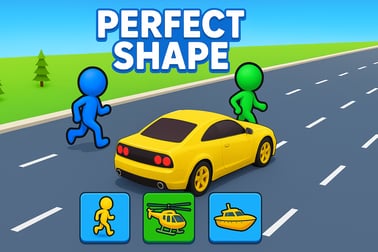
Perfect Shape lets you test your precision as you draw accurate shapes by hand. Play free in your browser, track your score, and challenge friends.





















Perfect Shape
Overview of Perfect Shape
Perfect Shape is a free browser precision drawing game that challenges you to trace and draw geometric figures as accurately as possible. Whether you're trying to draw a perfect circle online or nail sharp polygon corners, every stroke is measured and scored. It feels part art, part geometry quiz, and part arcade reflex test, making it a great fit for fans of puzzle and casual games.
Because it runs directly in your browser, you can jump into this free shape drawing game in seconds with no downloads, no signup, and no installs. Just pick a mode, follow the outline, and see how close you can get to a mathematically perfect shape. Every attempt gives you a percentage score so you can track improvement, chase personal records, and compete with friends in the multiplayer drawing challenge modes.
Perfect Shape mixes relaxed sketching with a geometry accuracy challenge. It's simple enough for kids to understand but deep enough that adults will keep coming back to shave off tiny fractions of error. Whether you use a mouse, trackpad, stylus, or your finger on a touchscreen, the core idea stays the same: draw, compare, improve.
How to Play Perfect Shape
Learning how to play Perfect Shape only takes a minute, but mastering it takes much longer. The game focuses on precision, so every little wobble in your line matters. Here's a basic walkthrough of how a typical round works in this browser precision drawing game:
- Step 1 – Choose a mode: Select between casual practice, timed arcade runs, or a multiplayer drawing challenge where you compare scores with friends.
- Step 2 – Pick a shape: Start with circles, then unlock or switch to squares, triangles, and other polygons as you get better at the geometry accuracy challenge.
- Step 3 – Follow the prompt: You'll see an outline, guideline, or central point on the canvas. Your goal is to draw the requested shape in one clean motion.
- Step 4 – Draw your shape: Press and hold to start drawing, then move steadily to trace the shape or circle around the guide dot. When you release, your attempt is instantly analyzed.
- Step 5 – Get your score: The game calculates how close your line is to the ideal shape and shows a percentage score from 0% to 100%. Higher is better, and 100% is near impossible.
- Step 6 – Retry or switch modes: Play again to beat your best score, change the difficulty, or hop into a new mode for a fresh style of challenge.
The rules are intentionally minimal so anyone can jump in, but the scoring is strict enough to satisfy players who love precise, skill-based games. Every session becomes a quick puzzle: can you control your hand (or mouse) smoothly enough to outdo your last attempt?
Perfect Shape Game Modes
Perfect Shape offers a few distinct ways to play, so you can choose how intense you want your free shape drawing game session to feel. These modes give the game replay value whether you're playing alone or competing with friends.
Practice Mode
This is the core single-player experience designed for relaxed improvement:
- Unlimited attempts: Draw as many shapes as you want without pressure.
- Instant feedback: After each attempt, you see your accuracy score and can immediately retry.
- Shape rotation and variation: The outlines or reference points may rotate or slightly shift so you don't memorize a single pattern.
Practice mode is ideal if you want to quietly work on drawing a perfect circle online or gradually refine tough shapes like hexagons and triangles.
Arcade / Timed Runs
In arcade-style runs, Perfect Shape shifts into a more intense geometry accuracy challenge:
- Limited time: Complete as many accurate shapes as possible before the timer runs out.
- Combo systems: String together high-accuracy shapes to boost your score multiplier.
- Increasing difficulty: Shapes become more complex or smaller, demanding finer control.
This mode feels like a classic arcade game: fast, score-driven, and easy to replay.
Multiplayer Challenge
If you enjoy competition, the multiplayer drawing challenge mode lets you test your accuracy against friends:
- Turn-based rounds: Each player draws the same shape in sequence.
- Shared scoreboard: Everyone's accuracy is displayed at the end of the round.
- Match settings: Agree on the number of rounds and difficulty, then see who's truly got the steadiest hand.
Because Perfect Shape runs in the browser, it's easy to set up quick friendly contests whether you're sitting together or playing remotely and sharing scores.
Play Perfect Shape on Phones & Tablets
Perfect Shape is designed to work smoothly on both desktop and mobile browsers, so you can play the same browser precision drawing game anywhere you have an internet connection.
On phones and tablets, drawing often feels more natural because you can use your fingertip or a stylus. Many players find it easier to draw a perfect circle online by treating the game like a mini sketch pad under their hand.
- No app required: Open the game in your mobile browser and start playing instantly.
- Responsive layout: Menus and drawing areas adapt to smaller screens to keep controls comfortable.
- Touch-optimized input: The game is tuned so it reads smooth finger movements and short flicks reliably.
On desktop, you can use a mouse, trackpad, or drawing tablet for extra precision. Switching between devices is seamless, making Perfect Shape a flexible choice for quick breaks during the day.
Is Perfect Shape Safe to Play Online?
Perfect Shape is family-friendly and built for safe casual play. There's no graphic content, no violent themes, and no inappropriate language. The whole experience focuses on drawing, accuracy, and lighthearted competition.
- No downloads needed: Because it's a browser-based free shape drawing game, you don't have to install executables or extra launchers.
- Single-player first: You can enjoy the full geometry accuracy challenge on your own, with no requirement to interact with strangers.
- Optional competition: Multiplayer modes are usually based on sharing scores with friends you already know or pass-and-play locally.
As with any online game, kids should play under normal supervision, but the content itself is suitable for most ages. It's closer to a digital sketchbook crossed with a math puzzle than a typical action game.
How to Play Perfect Shape Online in Your Browser
Because Perfect Shape is a browser precision drawing game, getting started is fast:
- Open your browser: Use any modern browser like Chrome, Edge, Firefox, or Safari on desktop or mobile.
- Load the game page: Navigate to the hosting site where Perfect Shape is available to play free online.
- Wait for the canvas to load: The drawing interface appears with a central guide or shape outline.
- Choose a mode and shape: Select practice, arcade, or multiplayer, then pick your shape type if the game offers multiple options.
- Start drawing: Click-and-drag or touch-and-drag to trace the requested figure.
- Review your score: When you release, the game shows how accurate your attempt was and often overlays your line with the ideal shape.
This quick loop keeps things snappy. Most rounds last only a few seconds, which makes Perfect Shape perfect for short breaks, warm-up exercises for drawing, or casual geometry practice sessions.
Tips to Draw Perfect Shapes and Boost Your Accuracy
Improving your score in this free shape drawing game isn't just about going slower. The game rewards smooth, confident motion and good planning. Here are some practical tips to get better at the geometry accuracy challenge in Perfect Shape:
- Warm up with circles: Circles expose every wobble, so practicing them first makes other shapes feel easier.
- Use your whole arm: On larger screens, try moving from your elbow or shoulder instead of just your wrist. This creates smoother arcs, especially when you want to draw a perfect circle online.
- Keep a steady speed: Jerky starts and stops create bumps. Aim for one consistent motion all the way around.
- Plan your endpoints: Before drawing, mentally mark where you want the shape to begin and end so the lines meet neatly.
- Zoom if possible: If your device or browser allows it, zooming in can make small corrections easier to control.
- Practice corners: For triangles, squares, and polygons, deliberately practice pausing briefly at each corner to “anchor” the angle while keeping the line as straight as possible between them.
- Switch devices: If you struggle with a mouse, try a touch screen or a stylus. Different devices can dramatically change your accuracy.
Over time, you'll notice your scores creeping up as your muscle memory builds. That's part of what makes Perfect Shape so addictive: improvement is visible and measurable, round after round.
Perfect Shape Game Modes: From Casual Fun to Skill Challenge
Perfect Shape caters to different play styles by offering both laid-back and highly competitive modes. Here's how to match the mode to your mood:
For Relaxed Play
If you just want to unwind, load up single-player practice with generous time limits and simpler shapes. You'll still get detailed scores, but there's no pressure to rush or beat anyone else. This is great for younger players or anyone using the browser precision drawing game as a creativity break.
For Skill Training
Turn up the challenge by:
- Choosing smaller shapes that demand more precise motion
- Enabling tighter accuracy thresholds if offered in the settings
- Focusing on a single shape, like circles or hexagons, until you reach a target score
This approach turns Perfect Shape into a focused geometry accuracy challenge that can even help you with real-world sketching and drafting skills.
For Competitive Sessions
When you want the thrill of competition, switch to the multiplayer drawing challenge mode. You can agree with friends on a set of rules—like "circles only" or "hardest shapes only"—and run a mini-tournament where the highest average accuracy wins.
Can You Beat Your Friends in the Perfect Shape Challenge?
Perfect Shape shines when you bring friends into the mix. Because rounds are short and scoring is clear, it's easy to turn this free shape drawing game into a party activity or a quick competition during breaks.
Ways to Compete
- Pass-and-play: On one device, each player takes a turn drawing the same shape. Compare the scores after each round.
- Remote races: If everyone has their own device, start a countdown and then share screenshots or scores at the end.
- High-score boards: Some hosts for Perfect Shape may include leaderboards. Try to claim the top spot and defend it.
Because the rules are easy to understand, friends who don't normally play games pick it up quickly. It turns the geometry accuracy challenge into a social experience, and you'll be surprised how competitive people become over a simple circle or triangle.
Mobile and Desktop Controls for Perfect Shape Explained
Getting comfortable with the controls is crucial if you want to improve at this browser precision drawing game. While the exact buttons may vary slightly depending on where you play, the core input concepts stay the same across platforms.
Desktop Controls
- Mouse: Click and hold the left button to start drawing, move to trace the shape, then release to finish.
- Trackpad: Press and drag with one finger. If your trackpad supports it, disabling acceleration or gestures temporarily can make lines smoother.
- Drawing tablet: If supported by your system, a pen tablet gives you the most natural control for shapes, especially circles and smooth arcs.
- Keyboard (if available): Some versions may let you press keys like R to retry, Space to continue, or arrow keys to navigate menus.
Mobile & Tablet Controls
- Touch input: Tap and hold the screen to begin drawing, then drag your finger or stylus to complete the shape.
- Gestures: Use simple taps to confirm prompts or start the next round. Try to avoid multitouch gestures during drawing to keep the input clean.
- Screen orientation: Landscape mode usually provides more space for detailed drawing in this free shape drawing game, but portrait mode can feel more natural for one-handed play.
If you ever feel your scores plateauing, consider experimenting with a different input style or device. For many players, that simple switch is enough to unlock higher accuracy and make the multiplayer drawing challenge even more intense.
Frequently Asked Questions
What is Perfect Shape?
Perfect Shape is a free browser game where you try to draw geometric shapes as accurately as possible and earn a score based on your precision.
Is Perfect Shape free to play?
Yes, Perfect Shape is completely free to play in your browser with no download required.
Do I need an account to play Perfect Shape?
No account is required to start playing. You can jump in, draw shapes, and track your scores instantly.
Can I play Perfect Shape on mobile devices?
Yes, you can play Perfect Shape on most modern mobile browsers using touch controls, as well as on desktop with a mouse or trackpad.
Is Perfect Shape suitable for kids?
Yes, Perfect Shape is family-friendly. It’s a simple, non-violent game that helps players practice focus, coordination, and spatial reasoning.